Friendly Marketer

Blog

Your blog category

Digital Marketing Freelancer in Bangalore
Blog

Looking for a Reliable Digital Marketing Freelancer in Bangalore?

If you’re a business owner, startup founder, or even just someone with a website, chances are you’ve already heard about digital marketing. But here’s the thing—doing digital marketing the right way can be tough. There are so many platforms, tools, and strategies out there. That’s where a Digital Marketing Freelancer in Bangalore like Friendly Marketer comes in. This blog is your simple, no-jargon guide to what a good digital marketer does, why it matters for your business, and why Friendly Marketer is one of the best choices in Bangalore. 🧠 What Exactly Does a Digital Marketing Freelancer Do? Let’s say you have a great product or service. But if nobody knows about it online, how will they buy it? A digital marketing freelancer helps you: Reach more people online (paid ads) Appear on Google when people search for your service (SEO) Track everything your customers do (analytics) Turn website visitors into actual customers (conversion optimization) It’s like having your own personal online growth partner—without paying the price of a full agency. 📍 Why Choose a Freelancer in Bangalore? ✅ Bangalore is the tech capital of India—most businesses here understand digital. ✅ Freelancers are flexible, fast, and cost-effective. ✅ Local expertise helps target the right audience, especially if you’re based in Bangalore or nearby. 💡 What Services Does Friendly Marketer Offer? Friendly Marketer is a full-stack digital marketing freelancer in Bangalore offering everything from ad setup to strategy to tracking and reporting. Let’s break it down in simple terms: 1. 📱 Meta Ads (Facebook & Instagram Ads) “Want to sell more products or get more leads using social media?” Run ads on Facebook and Instagram targeting age, interests, behaviors Retarget people who visited your site but didn’t buy A/B test different creatives to improve performance Suitable for eCommerce, real estate, education, services, and more ✅ Result: More brand visibility, traffic, and sales💬 Example: “We helped a streetwear brand 4x their revenue in just 3 months using Meta Ads.” 2. 🔍 Google Ads (Search & Display) “Want to show up when someone searches for your product?” Appear at the top of Google when someone types “best home interior designer in Bangalore” Use Google Display Network to show image ads across news websites, blogs, etc. Target people based on what they’re searching for ✅ Result: High intent traffic ready to take action💬 Example: “Our client selling electronics got sales for just $2 per result.” 3. 📺 YouTube Ads “Your audience is watching YouTube. Are you there?” Skippable and non-skippable video ads Brand awareness and conversions Show ads before or during videos related to your product niche ✅ Result: Strong visual recall and affordable reach💬 Tip: Even amateur videos work if you tell the right story. 4. 💼 LinkedIn Ads “Want to reach business decision-makers?” Best for B2B services, SaaS, and high-ticket items Target by job title, company size, industry, or seniority Send message ads or lead-gen forms directly to inboxes ✅ Result: Quality B2B leads and partnerships💬 Example: “We ran messaging ads to eCommerce founders and got a 20% form submission rate.” 🔧 Technical Setup That Powers Everything Digital marketing isn’t just about ads. Tracking and measurement is the backbone. 5. 🏷️ Google Tag Manager (GTM) “Want to track button clicks, video views, or form submissions?” GTM lets us set up tracking without needing to touch the code every time Useful for setting up Facebook Pixel, Google Ads conversions, etc. ✅ Result: Know exactly what people are doing on your website💬 Simple Example: “Track when someone clicks ‘Buy Now’ or fills a form.” 6. 📊 Google Analytics (GA4) “Want to know where your traffic is coming from?” Track how users behave on your site Know which ads, pages, or products are working GA4 is the new version replacing Universal Analytics ✅ Result: Make smarter marketing decisions based on data💬 Example: “We found one blog bringing 40% of leads and doubled down on similar content.” 🌐 SEO (Search Engine Optimization) “Want free traffic from Google without paying for ads?” On-page SEO (fixing content, titles, structure) Off-page SEO (getting backlinks from other sites) Technical SEO (speed, mobile-friendliness, crawlability) ✅ Result: Show up on Google when people search for related topics💬 Example: “Our blog on real estate got 50K+ organic views and generated 100+ qualified leads.” 💼 Industries We’ve Worked With Whether you’re just starting or scaling, Friendly Marketer has helped: ✅ Real estate businesses sell out projects ✅ E-commerce brands hit 4x ROI ✅ Hotels & resorts drive direct bookings ✅ Diamond brands in the UK build trust with customers ✅ Pest control, roofing, and home services generate leads daily 🎯 Why Choose Friendly Marketer as Your Digital Marketing Freelancer in Bangalore? 🎯 8+ years of experience 💼 Worked with 300+ clients (from small startups to global companies) 🧪 Runs marketing experiments before wasting your budget 🔍 Gives transparent reports (no jargon) 🤝 Works as your extended team—not a vendor 🧠 Focuses on performance, not just clicks 📞 Ready to Grow Your Business Online? Whether you’re a small business, D2C brand, or service provider, Friendly Marketer will help you: Get more traffic Convert more leads Track every result Scale without burning cash 👉 Contact Friendly Marketer — Your Go-To Digital Marketing Freelancer in Bangalore 📧 kaushik@friendly-marketer.com📱 +91 81225 29795 💬 Final Thoughts Digital marketing is no longer a “good to have”—it’s essential. But it doesn’t have to be overwhelming. When you have the right freelancer with deep knowledge in Meta Ads, Google Ads, YouTube, LinkedIn, SEO, GTM, and Analytics, you can grow fast, smart, and stress-free. 👉 Ready to get started? Let’s talk today.
SEO in 2025 Isn’t About Keywords Anymore — It’s About Meaning
Blog

SEO in 2025 Isn’t About Keywords Anymore — It’s About Meaning

Hey, I’m Kaushik G. — The Friendly Marketer, and if you’re still writing blogs hoping that keyword stuffing will get you ranked, it’s time to change gears. Let’s be real — Google has outgrown keywords. In 2025, the game isn’t about tricking the algorithm.It’s about building real content that solves real problems, and proving that you know what you’re talking about. So in this blog, I’ll break down: What 2025 SEO really means What’s changed from old-school SEO What “semantic SEO” is and why it matters How I personally use topic clusters to help my clients rank What you should do right now to build your SEO strategy the right way Step 1: Keywords ≠ Rankings Anymore Let’s rewind to old SEO for a second. Old SEO: Add the keyword “best dog food” 10 times.New SEO: Answer the question “What’s the best dog food for a 6-month-old Golden Retriever with allergies?” See the difference? In 2025, Google doesn’t care how many times you use the keyword.It cares whether your content is actually helping someone. That means: Matching search intent Covering the topic with depth and clarity And making your content easier to understand than anyone else’s Bottom line: You’re not writing for bots anymore. You’re writing for real people — and Google rewards that. Step 2: Semantic SEO > Keyword Stuffing So, what is semantic SEO? It means optimizing for meaning, not just phrases.It’s about topics, relationships between ideas, and natural language. Let’s take an example: Old SEO: Keyword = “how to lose weight fast”Content = Repeats that phrase 10 times, adds a few tips. New SEO with semantic structure: Covers: calorie deficit, strength training, mindset, meal timing Includes: related terms like “intermittent fasting”, “protein intake”, “sleep impact on fat loss” Links internally to: workout plans, low-calorie recipes, metabolism articles That’s what topical depth looks like. And that’s what ranks in 2025. Step 3: Google Understands Context Google now uses AI models that understand the meaning behind your content. It knows: Whether your article truly answers the user’s question If you’ve just rewritten someone else’s post And whether your site is trusted by other sources This is why cheap SEO tricks don’t work anymore. Your blog might use the right keywords…But if it doesn’t provide real answers, real value, and real context, it won’t survive. Step 4: What You Should Do Instead Here’s what I do for every client that wants to actually rank in 2025: ✅ Use topic clusters: Don’t write 50 scattered blogs. Write 1 pillar post and link 10-15 supporting articles around it. ✅ Use semantic internal links: Don’t link just for the sake of SEO. Link because one topic connects to another — naturally, like Wikipedia. ✅ Write for intent, not just keywords: Think, “What does the searcher really want to know?” And then answer that better than everyone else. Example: If someone searches “WooCommerce SEO setup”, they might also want: Recommended plugins Performance tips Tracking setup via GA4 Product schema setup If you don’t cover those — you’re not matching intent.I do — and that’s why my content ranks. Step 5: Google Thinks Like a Human Now Yep — scary but true. When Google’s bots read your content, they now ask: “Does this content actually solve the problem?” “Was it written by someone with real experience?” “Is this page connected to a bigger network of trusted info?” That’s why surface-level blogs and AI-generated fluff are dying. Your content needs to feel real, offer useful answers, and connect to topical depth. Step 6: E-E-A-T = Your Ranking Foundation If you haven’t heard this yet, learn it today: E-E-A-T = Experience, Expertise, Authority, Trust This is what Google looks for before showing your page to the world. So when I build content for my clients, I make sure it includes: First-hand experience (case studies, real-life examples) Expertise (actual advice, not theory) Authority (linked sources, credentials, social proof) Trust (clear structure, no clickbait, fast-loading pages) Example: If I write a blog on “Google Ads setup for dentists”, I’ll include: Screenshots of the actual ad manager A client case where we got leads at ₹150 Targeting strategy that worked A link to the Google support article I referenced That’s how you build trust — and that’s how you rank. Step 7: Your Website Should Be a Knowledge Graph, Not a Blog Roll Here’s the mistake 90% of sites still make: They treat their blog like a dumping ground — post after post, with no connection. That kills your SEO. Instead, structure your content like a knowledge graph. What I do: Group blogs by themes or topics Use hub-and-spoke models Create internal links from every supporting post back to the pillar page So if I’m building SEO for a fitness coach, I’ll have: A pillar page: “How to Lose Fat in 2025” Supporting blogs: “Strength Training vs. Cardio”, “Beginner Meal Plan”, “Supplements That Actually Work”, etc. All pages internally linked and tagged cleanly This builds authority in that topic — and that’s what gets rewarded. Step 8: Ranking is Now a Reputation Game Let’s face it — Google doesn’t just care what you say. It cares who trusts you. In 2025, Google ranks brands that are: Cited by others (you’re mentioned or quoted) Searched by name (you’ve built a real presence) Linked by high-authority sites (other blogs reference your insights) So if you want to rank… You don’t just need content.You need trust, clarity, depth, and recognition. That’s what I help build — through semantic SEO, content strategy, internal linking, and authority-focused writing. Ready to Build an SEO Strategy That Works in 2025? Whether you’re a SaaS founder, service business, D2C brand, or local expert… If you want to: Rank long-term Get leads from search Build a real presence that Google trusts Then stop guessing — and start building smart. I can help you: Plan topic clusters Optimize content for semantic SEO Build internal structure Fix technical SEO Align it all with your business goals 📧 kaushik@friendly-marketer.com📞 +91 81225

Freelance performance marketing specialist Kaushik G
Blog

Why Hiring Me, a Freelance Performance Marketing Specialist, Will Get You Real Results

Hi, I’m Kaushik G., also known as The Friendly Marketer — and if you’re looking to hire a freelance performance marketing expert, you’re in the right place. I don’t just run ads.I help you grow your business by focusing on data, ROI, and results you can measure. Whether you’re searching for: Digital marketing freelancer near me Performance marketing freelancer Paid media freelancer for my eCommerce or SaaS product Top freelance digital marketing specialist Or high-ticket freelance marketing services Let me show you exactly why I’m not just another freelancer…I’m the partner you’ve been searching for. Who I Am (In One Sentence) I’m a freelance performance marketer who has helped 300+ clients across India, the UK, Europe, and the US get more leads, more sales, and more return on ad spend — using a strategy-first, platform-specific approach that drives results, not just traffic. Why Work With Me? (Here’s What You Really Get) 1. End-to-End Marketing Execution — No Silos You don’t need to hire 5 different people. When you work with me, you get a: Media buyer Funnel strategist Tracking specialist Landing page optimizer Google & Meta certified expert Digital growth consultant All in one. 2. Clear, Transparent Reporting I don’t hide behind vague dashboards. You get: Clear metrics: ROAS, CPA, CTR, CVR Simple explanations: What’s working, what’s not Weekly updates (if needed), performance breakdowns, and suggestions on what to improve next 3. Expertise Across Platforms I specialize in paid media channels like: Google Search, Display, Shopping, and Performance Max Meta Ads (Facebook & Instagram) — including advanced audience retargeting YouTube Ads with storytelling and direct conversions LinkedIn Ads — especially for high-ticket B2B offers WhatsApp & Messenger Lead Funnels This makes me the right fit whether you’re selling: Physical products Digital services Coaching programs SaaS subscriptions Real estate or financial services 4. I Understand High-Ticket Funnels Running a ₹50,000 or $2,000 product ad isn’t the same as pushing a ₹499 T-shirt. I’ve built, tested, and scaled high-ticket campaigns for: Coaching Enterprise SaaS Custom furniture Luxury eCommerce Real estate lead generation From ad copy to lead magnet, follow-up sequence to retargeting — I handle the full customer journey. But Why Not Hire an Agency? Let’s be honest — agencies are great at overpromising and underdelivering. Here’s how working with me is different: What You Get With Me What You Usually Get With an Agency One point of contact — me Multiple account managers Personalized strategy Generic monthly plans Quick execution Delays & ticket systems ROI-first approach Vanity metrics Transparent pricing Surprise fees Weekly reporting Monthly PDFs you don’t understand When people search for “freelance digital marketer near me” or “best freelance digital marketing services”, what they really want is: 👉 Someone who knows what they’re doing,👉 Who explains things clearly,👉 And actually drives results. That’s what I do. Every single time. Common Problems I Fix (That Clients Face Before Finding Me) “We’re getting link clicks but no sales.” “Our ad tracking is broken.” “We tried boosting posts, but it didn’t work.” “We worked with an agency, but we have no idea what’s going on.” “We want more leads for our coaching/service but don’t know how to run ads.” “We don’t have time to manage everything.” Sound familiar? I fix all of that — and set you up with a profitable, automated ad system that runs with clarity, efficiency, and ROI. Services I Offer (Performance + Strategy) Here’s a full view of what I bring as a freelance digital marketing specialist: ✅ Paid Ad Setup (Google, Meta, YouTube, LinkedIn) ✅ Conversion Tracking via Google Tag Manager, GA4, Meta CAPI ✅ Ad Copywriting & Creative Direction ✅ Funnel Strategy & Campaign Mapping ✅ Retargeting Setup (Pixel + Catalog + Email flows) ✅ Product Feed Setup for E-Commerce ✅ High-Ticket Landing Page Optimization ✅ Weekly Campaign Optimization ✅ Marketing Automation (Email, WhatsApp, CRM) I focus on real outcomes — not vanity numbers. Who I Work With If you’re: A D2C or eCommerce brand trying to scale sales A coach, consultant, or agency selling a high-ticket offer A real estate or SaaS company needing qualified leads An entrepreneur tired of wasting ad budget with no direction Or someone who simply wants a top digital marketing freelancer on their side… Let’s talk. Results You Can Expect I’ve helped clients achieve: ROAS of 4x+ on eCommerce campaigns 100+ qualified leads/month for high-ticket real estate offers 60% cost reduction in Meta Ads with better targeting 30% more conversions simply by fixing tracking ₹2 per lead for a €500+ product using seasonal + sponsorship strategies And I’ll bring the same mindset to your brand — whether you’re spending ₹10,000 or ₹10,00,000 per month. Why I Call Myself “The Friendly Marketer” Because this isn’t just about running ads. It’s about: Listening to your business goals Explaining things without jargon Giving honest advice And treating your business like it’s my own Friendly doesn’t mean casual — it means collaborative, clear, and committed to growth. Final Thoughts: You Don’t Need an Army — You Need a Specialist The freelance marketing space is filled with “experts,” but not all of them understand performance marketing. Most focus on likes, traffic, or followers. I focus on profitable growth. If you’re ready to stop guessing and start scaling, here’s what to do: 📧 kaushik@friendly-marketer.com📞 +91 81225 29795🌐 https://friendly-marketer.com Let’s chat. I’ll do a free account audit or performance plan to show you how I work — no obligation, just clarity. I’m Kaushik G.The Friendly Marketer.And I’m ready when you are.

Meta Ads campaign objectives explained
Blog, Meta ads

Meta Ads Campaign Objectives Explained: How to Choose the Right Goal for Results That Matter

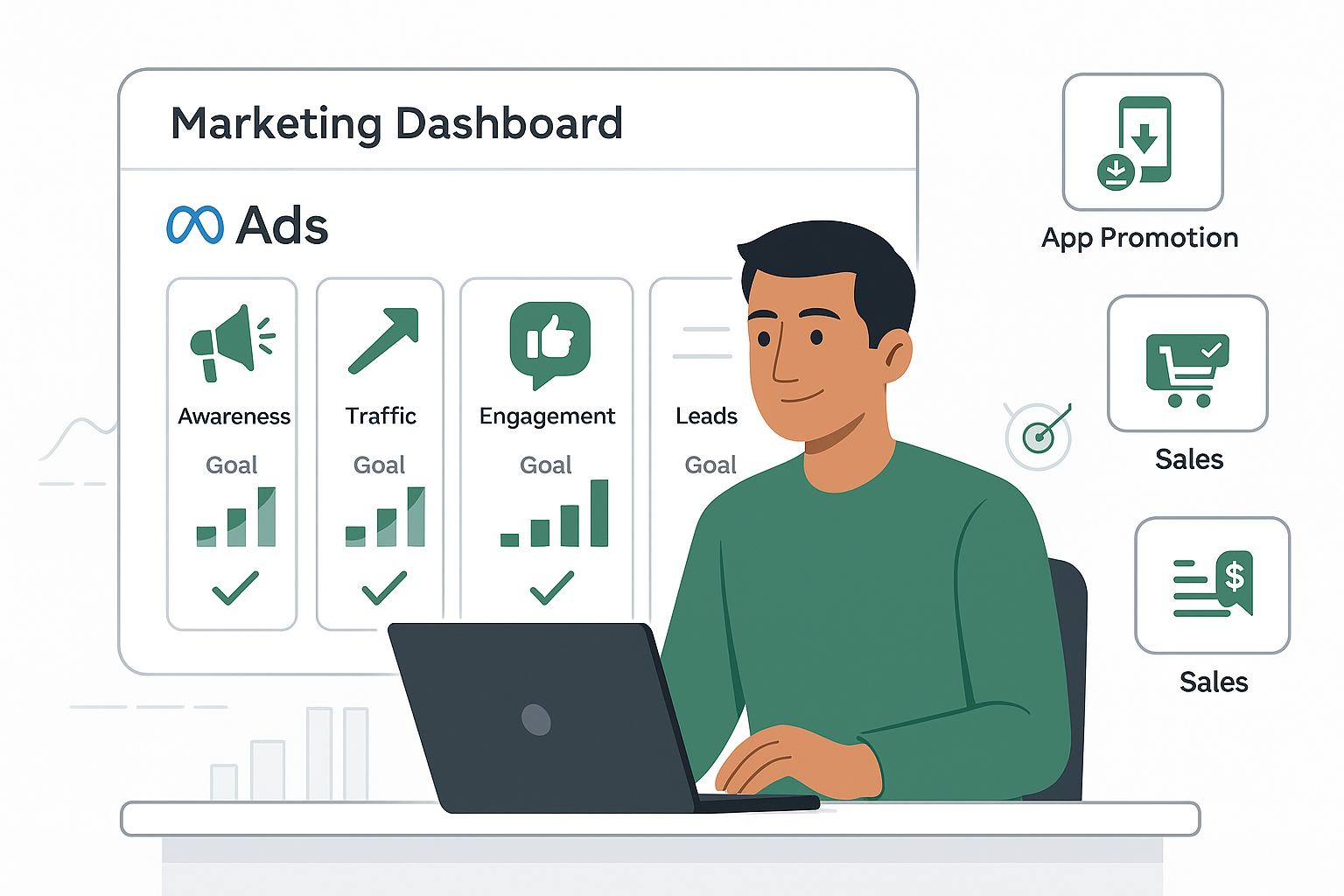
Hi, I’m Kaushik — a performance marketer with 8+ years of experience running ads for 300+ clients across eCommerce, SaaS, services, and more. If you’ve ever run Meta Ads (Facebook + Instagram), you’ve probably faced this question: “Which campaign objective should I choose?” Should you run Awareness, Traffic, or Sales?What’s the difference between Conversions and Website visits?How does Maximize Reach differ from Maximize Calls? If you’re confused — you’re not alone. Meta’s ad setup can feel like a maze. In this blog, I’ll break it down in the simplest way possible. You’ll learn: What each campaign objective really means When to use which one Real examples from my client campaigns And how I help you set it up to avoid wasting your ad budget Let’s dive in. 🎯 Step 1: Understanding Campaign Objectives Meta offers 6 main campaign objectives — each tailored for different goals: Awareness Traffic Engagement Leads App Promotion Sales Each objective has sub-options called goal types (like conversions, clicks, impressions, etc.) and performance goals (what you want the algorithm to optimize for). Here’s how to choose the right one 👇 🧠 1. Awareness Campaigns Use this when: You want more people to discover your brand. 🔹 Goals inside Awareness: Maximize Reach – Show your ad to as many people as possible. Impressions – Show your ad as many times as possible (same person multiple times). Brand Awareness – Show to people likely to remember the ad. ThruPlay Video Views – Optimized for people who watch your whole video (up to 15 seconds). 2-Second Views – For massive volume of very short video impressions. ✅ Good for:New product launches, brand building, event pre-hype.Not great for direct sales. 🚦 2. Traffic Campaigns Use this when: You want to drive people to your website, app, or other destinations. 🔹 Goals inside Traffic: Website Visits – Optimized for actual page views. Link Clicks – Optimized for any click (but may not always lead to load). Reach / Impressions – If you want exposure, not clicks. Conversations – Drive chats via Messenger or WhatsApp. Instagram/Facebook Visits – Get more profile views. Calls – Drive phone calls. ✅ Good for:Blog traffic, content promotion, directing to landing pages, or messaging leads. ⚠️ But not ideal if you want purchases — use “Sales” for that. 💬 3. Engagement Campaigns Use this when: You want interaction — likes, shares, event RSVPs, or video views. 🔹 Goals inside Engagement: Post Engagement – More likes/comments/shares. Event Responses – Get RSVPs. Video Views (ThruPlay or 2-sec) – Great for reels and stories. Website Actions – For tracking conversions like “ViewContent”. Reminders – Promote live or launch events. Page Likes – Get more followers for your Facebook page. ✅ Good for:Content boosting, event awareness, getting signals before retargeting. 📥 4. Leads Campaigns Use this when: You want to collect leads — emails, phone numbers, form submissions. 🔹 Goal options: Instant Forms – People fill out a lead form directly inside the ad. Website Leads – Track form fills on your own site. Messenger or WhatsApp Leads – Starts a conversation with the intent to capture details. Lead Value – Optimize for high-quality leads. Calls – Direct calls as leads. ✅ Good for:Consultants, real estate, insurance, finance, coaching, B2B, SaaS trials. 💡 I usually pair this with a CRM like HubSpot or Pipedrive and set up follow-up automations too. 📱 5. App Promotion Campaigns Use this when: Your goal is app installs or in-app actions. 🔹 Goals inside App Campaigns: App Installs – Drive maximum installs. App Events – Get users to take an action (like sign up or purchase). Value Purchases – Optimize for high-value in-app conversions. ✅ Good for:Fintech, food delivery, edtech, or gaming apps.Great when paired with Firebase tracking or Appsflyer for deep insights. 🛒 6. Sales Campaigns (Also known as Conversions) Use this when: You want to generate purchases, add-to-carts, or catalog sales. 🔹 Goal types: Website Sales (Conversions) – Track checkout, purchase, add to cart, etc. Value Conversions – Optimize for high-value orders. Conversations (Messenger or WhatsApp) – For sales through chat. App Sales – If the product is sold inside an app. Call-Based Sales – Optimized for phone order leads. Catalog Sales – Product-based retargeting (must be connected to a catalog). ✅ Good for:E-commerce, SaaS trials, high-ticket services.This is where the money is — but only works well when tracking is 100% set up (I use GTM + Meta Pixel + CAPI for this). 🎯 Choosing the Right Objective: A Real-World Approach Here’s how I recommend choosing your Meta ad objective based on your business goal: Your Goal Best Objective Performance Goal Launch a brand Awareness Maximize Reach / Ad Recall Drive blog traffic Traffic Website Visits Boost post engagement Engagement Post Engagement Collect leads Leads Instant Forms or Website Conversions Get phone call leads Leads or Sales Calls Get app installs App Promotion Installs or Events Drive eCommerce sales Sales Conversions / Value Conversions Re-engage warm traffic Sales or Engagement Catalog Sales / Website Actions 🧠 Final Thoughts: Don’t Waste Budget on the Wrong Goal Most businesses waste 30–40% of their ad budget just by selecting the wrong campaign type. If you choose Traffic instead of Sales, you might get 1000 clicks and zero conversions. If you run Engagement instead of Leads, you’ll get likes — not signups. If you don’t track actions properly, Meta can’t optimize for the right results. That’s why I don’t just “boost posts.”I plan a full funnel — from choosing the objective, to writing the ad, to tracking and optimizing results. Need Help Setting Up Your Campaign the Right Way? If you’re confused between Conversions vs. Clicks, or Lead Ads vs. Landing Page, I can help. I’ve successfully run campaigns for: Product launches (Awareness + Retargeting + Sales) Real estate lead gen (Calls + Instant Forms) App installs (with deep funnel tracking) E-commerce with purchase value optimization 📧 Email: kaushik@friendly-marketer.com📞 WhatsApp: +91 81225 29795 Let me know your industry and monthly ad budget — I’ll suggest the right

Need a Google Tag Manager Freelancer? Here’s How I Help You Track Everything That Matters
Blog

Need a Google Tag Manager Freelancer? Here’s How I Help You Track Everything That Matters

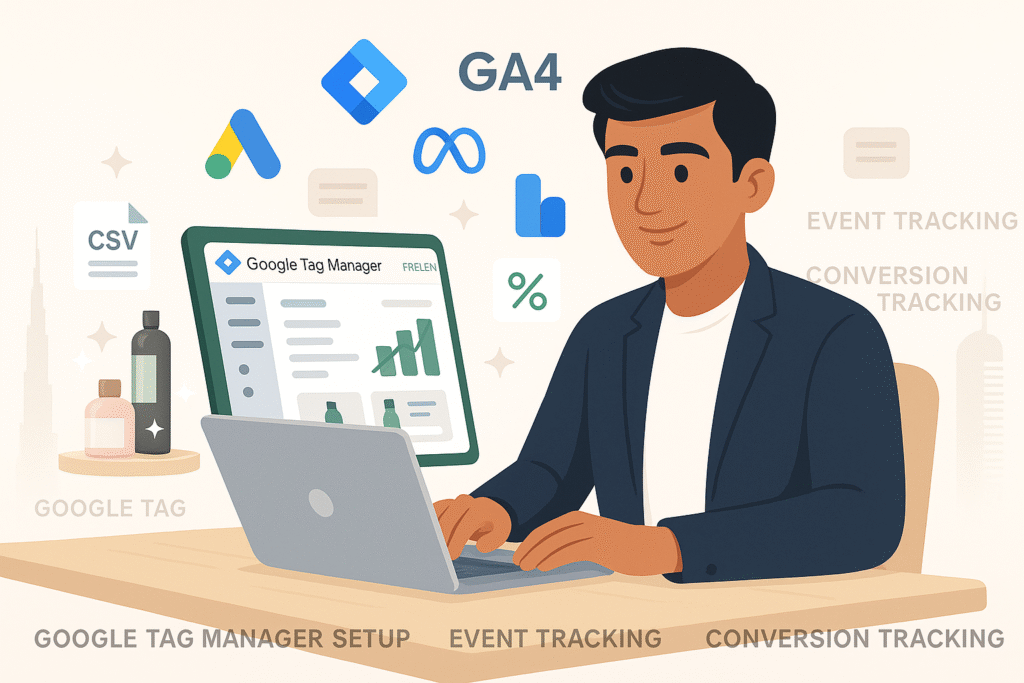
Hey there 👋 I’m Kaushik G, a full-stack digital marketer and tracking expert, and if you’ve landed here, you’re probably searching for one of these: “Google Tag Manager freelancer” “How to set up custom events with GTM” “Need help with Google Ads and GA4 tracking” “Hire expert for Google Tag Manager setup” “freelancer tag manager” “freelance google tag manager” “hire google tag manager (gtm) experts” Let me save you some time — you’re in the right place. Whether you run an e-commerce store, SaaS company, real estate website, or even a simple landing page, if you’re not tracking the right data, you’re flying blind. And that’s exactly where I come in. I help businesses like yours track every important click, form, scroll, or lead — using Google Tag Manager — the right way. 🚀 What Is Google Tag Manager & Why Should You Even Care? Let me explain GTM in simple words. Think of your website like a car dashboard. You want to know: How fast you’re going (visits) How many people click the “Buy Now” button Whether your form submissions are working If your Google Ads are converting But without proper tracking, it’s like driving blindfolded — you’re just guessing. Google Tag Manager (GTM) is like the wiring system that connects your website to analytics tools like: Google Analytics 4 (GA4) Facebook Pixel Google Ads conversion tags LinkedIn Insight Tag Hotjar, Clarity, and more With GTM, you can set up custom events, conversion tracking, remarketing tags, scroll tracking, button clicks, and anything else — without touching the code again and again. 💼 Who Am I and What Do I Offer as a Google Tag Manager Freelancer? I’m Kaushik G — a Google Tag Manager expert with 8+ years of experience, helping 300+ clients across the US, UK, Europe, and India. Here’s what I do for my clients: Full GTM setup from scratch Connecting GTM with GA4, Google Ads, Meta Pixel, etc. Tracking custom events like button clicks, form submissions, add-to-cart actions, scrolls, video views, outbound link clicks, WhatsApp/phone clicks Debugging and fixing broken tracking setups Creating server-side tagging (if needed) Providing clear documentation & reporting In short: I make sure every important action on your website is tracked. 🔍 Step-by-Step: How I Work With You on GTM Projects 1. Free Audit of Your Current Tracking (Optional) I’ll start by checking your current setup. I use tools like Tag Assistant, GA4 DebugView, and Facebook Pixel Helper to quickly see: What’s working What’s broken What you’re missing 2. Planning the Right Tags, Triggers & Variables Next, I’ll work with you to plan what exactly we need to track. I won’t overload you with fancy dashboards you’ll never use. I ask: What are the actions that actually matter for your business? For example: For an eCommerce site: Add to cart, checkout start, purchase. For SaaS: Signups, demo requests, CTA clicks. For real estate: Form submissions, brochure downloads, WhatsApp calls. Then I prepare a full plan for what tags, triggers, and variables to implement. 3. Setup on Google Tag Manager (The Clean Way) I then implement everything on GTM in a clean and organized container — no messy, duplicate tags or risky code injections. Some examples: GA4 Event Tracking Google Ads Conversion Tags Facebook (Meta) Pixel events like Lead, ViewContent, AddToCart, Purchase LinkedIn Insight Tag Scroll Depth Tracking Button Click Events Video Play/Pause/Complete tracking WhatsApp click tracking Phone call tracking (tel: links) 4. Testing Everything with Real-Time Debugging Before publishing anything, I test everything on staging or live using: Google Tag Assistant GA4 DebugView Meta Pixel Helper LinkedIn Pixel Validator UTM test tools I only publish when we’re both confident it’s tracking perfectly. 5. Documentation + Handover After everything is set up, I give you: A clear document listing every tag, trigger, and event Access to your GTM container Notes on how to view events inside GA4 or ad platforms 🎯 Who Is This GTM Service Perfect For? You’ll love working with me if: ✅ You run Google Ads or Meta Ads and need conversion tracking✅ You want to migrate from UA to GA4 and don’t want to lose data✅ You want to retarget visitors based on actions (like scroll, form fill, add to cart)✅ You want to understand your user behavior better✅ You’re launching a new website and want clean tracking from day one 💥 Why Clients Hire Me as Their Google Tag Manager Freelancer Here’s why I get recommended over and over: 1. I Speak in Simple Language You don’t need to be a developer. I explain things in plain English and tell you why something matters. 2. I Don’t Break Your Site No cowboy coding or risky setups. I follow clean tag architecture, versioning, and always test before going live. 3. I Save You Hours of Headache Most business owners waste 10+ hours trying to fix GTM errors.I fix things in a few hours — clean and done. 4. I Work Remotely and On-Time No timezone drama. I work with clients in India, UK, Germany, and USA — always delivering on deadline. 5. Affordable, One-Time or Monthly Plans Whether you need a one-time setup or ongoing help — I offer both. You won’t pay for anything unnecessary. 🔍 Keywords You May Have Searched (And Yes, I Do All This) Google Tag Manager freelancer Hire GTM expert Set up GA4 tracking via GTM Custom event tracking in Google Tag Manager Google Ads conversion tracking setup Manual event tracking for eCommerce website Facebook Pixel setup using GTM WhatsApp button click tracking in GTM Server-side tracking GTM expert These are exactly what I specialize in — no guesswork. ✅ Want Me to Help You Set Up Tracking the Right Way? If you’re tired of guessing where your leads are coming from or spending on ads without proper tracking… Let’s fix that once and for all. 📧 Email: kaushik@friendly-marketer.com📞 WhatsApp: +91 81225 29795 Just tell me what you want to track, and I’ll set it all up inside Google Tag Manager — with

Struggling to Get Quality Leads? Let Me Be Your LinkedIn Outreach Freelancer (The Safe & Proven Way)
Blog, Website and Landing page

Struggling to Get Quality Leads? Let Me Be Your LinkedIn Outreach Freelancer (The Safe & Proven Way)

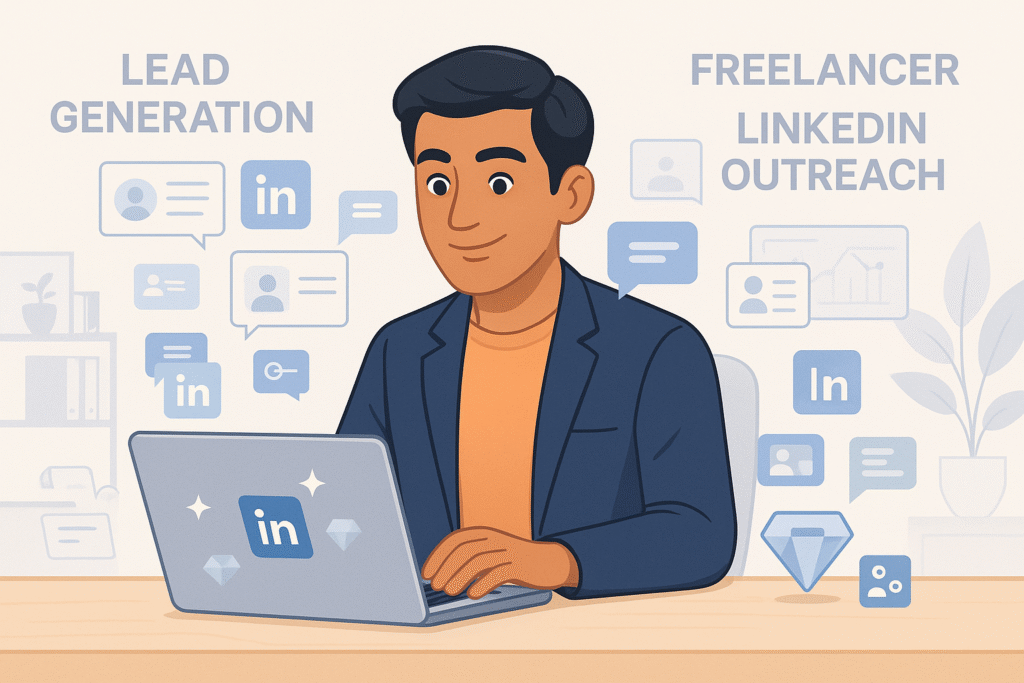
Hey there! 👋 I’m Kaushik, your Friendly Marketer, and if you’re here, you’re probably tired of: Getting low-quality leads. Wasting time on tools that don’t work. Or worse, having your LinkedIn account restricted after trying some “automated outreach” tool. Don’t worry. You’re not alone. I’ve worked with 300+ clients across the globe, and most of them had the same problem when they found me. In this post, I’ll walk you through how I generate high-quality leads using manual LinkedIn outreach — the safe and effective way. This is not just a blog — it’s a step-by-step view into how I help businesses like yours generate real conversations that actually convert into clients or customers. ✅ What Is LinkedIn Outreach & Why Should You Care? Think of LinkedIn like a global business networking event — but online and 24/7. Every founder, decision-maker, CEO, or manager you want to talk to?They’re already on LinkedIn. You just need to know how to reach them properly. That’s where LinkedIn outreach comes in. It’s the process of finding your ideal clients on LinkedIn and sending them personalized connection requests and messages — without spamming or damaging your account. But here’s the thing: Most people do it wrong. They: Use shady automation tools. Blast 1000s of cold messages. Get their accounts restricted or banned. That’s not what I do. 👋 Who Am I & What Do I Do? I’m Kaushik G, a LinkedIn outreach freelancer who blends automation + manual effort to keep your LinkedIn account 100% safe while getting real leads. Here’s what I offer: I build a custom target list for your outreach campaign using a powerful tool called Clay.com. I manually send connection requests and messages (yes, you read that right). No spam. No bots. No account bans. I’ve done this for e-commerce stores, SaaS companies, real estate agencies, coaches, consultants, and more. Whether you’re selling a product or a service — I bring leads to your LinkedIn inbox who are actually interested in what you offer. 🔍 Step-by-Step: How I Do LinkedIn Outreach Safely (No Bans or Blocks) Here’s a simple breakdown of how I run a LinkedIn outreach campaign for you: 1. First, I Build a Target Sheet With LinkedIn Profiles Before anything, I go deep into understanding your audience. I use Clay.com to: Pull up-to-date LinkedIn URLs Filter based on job titles, industries, locations, etc. Create a ready-to-go list of 500 to 5000+ potential leads It’s like giving you the keys to the kingdom — your perfect customer list. 2. Next, I Send Requests – Manually, Not With Bots Unlike tools that risk your LinkedIn account, I do the outreach manually. I send 10 to 20 connection requests daily. Messages are written in a natural tone (no robotic templates). No automation, no danger of getting banned. This slow and steady approach is exactly what LinkedIn wants — and why my clients stay safe while still growing fast. 3. Then, I Start Real Conversations Once people accept your connection, I send a personalized follow-up message based on your offer. Example? “Hey [Name], I noticed you’re in the [Industry] space — I help companies like yours generate leads via paid ads. Happy to share some insights if you’re interested?” These messages are warm, human, and designed to start a conversation — not push a pitch. 🎯 Who Is This For? If you’re: A coach or consultant A SaaS founder A service provider or agency owner A real estate agent Or anyone looking for B2B leads on LinkedIn Then this outreach system is made for you. You don’t need to worry about tools, tech, or sending messages.I handle everything. You just focus on closing deals. 💡 Why My Clients Love This (And Keep Coming Back) Here’s what makes my approach different: ✅ Safety First No automation = no risk. Your account stays 100% safe. ✅ Done-for-You Target List I provide a complete list of leads with verified LinkedIn URLs. ✅ Real Conversations I don’t just “blast messages.” I start actual chats that convert. ✅ Cost-Effective Hiring a full-time SDR or B2B agency costs $$$. I give you better results at a fraction of the cost. ✅ Results My clients have booked calls with decision-makers from Europe, USA, UK, India, and Australia. 🔎 Keywords You Might’ve Searched Before Landing Here: If you searched for: LinkedIn outreach freelancer Hire someone for LinkedIn lead generation Manual LinkedIn outreach service LinkedIn outreach without account ban Lead generation on LinkedIn freelancer LinkedIn outreach specialist India Safe LinkedIn outreach strategy Then you’re in the right place. That’s exactly what I do — and I’m here to help. 💬 Ready to Book More Calls From LinkedIn? If you’re tired of guessing how to do outreach or wasting money on tools and courses that don’t work… Let me take over your LinkedIn outreach and bring you qualified leads, safely and affordably. 👉 Just send me a message or email me at kaushik@friendly-marketer.com📞 Or WhatsApp me directly at +918825537481 I’ll share a free sample of your target list (no strings attached) so you know exactly who we’ll be reaching out to. Let’s get you leads.Let’s get you booked calls.Let’s grow your business — one connection at a time.

How to Bulk Upload Products in WooCommerce (with Variations, Images & SKUs)
Blog, Website and Landing page

How to Bulk Upload Products in WooCommerce (with Variations, Images & SKUs)

Your Step-by-Step Beginner’s Guide — by Friendly Marketer Running an online store is exciting. But adding hundreds of products one-by-one? That’s exhausting 😩. If you’re selling: T-shirts in different sizes and colors Digital products like eBooks or software Physical goods like electronics, supplements, books, etc. …then this guide will show you how to upload everything at once using WooCommerce’s bulk product upload system. Even if you’ve never used Excel or don’t know what a CSV is, you’ll be able to follow this guide easily. Let’s dive in. And yes — I’ve included free templates, examples, and pro tips I’ve used with 300+ clients. What is a CSV and Why Do You Need It? CSV stands for Comma-Separated Values. It’s just a fancy way to say “spreadsheet you can open with Excel or Google Sheets.” Each row = 1 product Each column = product detail (like Name, Price, SKU, etc.) WooCommerce lets you upload this CSV file to create all your products in one shot. Step 1: Download the Bulk Product Upload Template   Here’s what the file looks like: Name SKU Type Description Regular price Sale price Images Categories Stock Attributes Men’s T-Shirt TSHIRT-001 variable 100% Cotton Tee https://yoursite.com/images/tshirt1.jpg T-Shirts, Men Size, Color Men’s T-Shirt S TSHIRT-001-S variation Size Small 499 399 https://yoursite.com/images/tshirt1-s.jpg 50 Size=S, Color=Black Men’s T-Shirt M TSHIRT-001-M variation Size Medium 499 399 https://yoursite.com/images/tshirt1-m.jpg 50 Size=M, Color=Black We’ll explain each of these in a moment. Step 2: Understand the Key Columns in the CSV Here are the most important columns (and what they mean): Column What it Means Name Product title (e.g., “iPhone 15 Pro Max”) SKU Stock Keeping Unit. Unique code for tracking inventory. Type Use simple, variable, or variation Description The full product description Regular price Normal selling price Sale price Discounted price (optional) Images Link to product image (use full URLs). You can add multiple images too. Categories Which category the product belongs to Stock Quantity available Attributes Only used in variations (e.g., “Size=S, Color=Red”) 🛍 Step 3: Uploading Simple Products (Straightforward Case) Let’s say you’re uploading a digital product, like an eBook. Name SKU Type Description Regular price Images Categories Stock Yoga eBook EBOOK101 simple Learn yoga in 7 days 299 https://yoursite.com/img/yoga-ebook.jpg Health, eBook 9999 Pro Tip: Make sure the image URL is publicly accessible and ends in .jpg, .png, or .webp. Step 4: Uploading Variable Products (Sizes, Colors, etc.) Now the real deal: Variable Products! Let’s say you’re selling a T-shirt in 3 sizes: S, M, and L. a. Create the Parent Product Name SKU Type Description Attributes Men’s Tee TSHIRT001 variable 100% Cotton T-Shirt Size, Color This parent product has no price or stock You must list all the attributes you’ll use in the variations b. Create the Variations Below It Name SKU Type Regular price Stock Attributes Images Men’s Tee – S Black TSHIRT001-S-BK variation 499 50 Size=S, Color=Black https://yoursite.com/img/tee-s-black.jpg Men’s Tee – M Black TSHIRT001-M-BK variation 499 60 Size=M, Color=Black https://yoursite.com/img/tee-m-black.jpg Men’s Tee – L Red TSHIRT001-L-RD variation 499 40 Size=L, Color=Red https://yoursite.com/img/tee-l-red.jpg ✅ All SKUs must be unique ✅ The “Type” for variations must be variation ✅ The parent product MUST come first in the CSV Step 5: Adding Multiple Images Want to show more than 1 image per product? Use comma-separated image URLs like this: https://yoursite.com/img/main.jpg,https://yoursite.com/img/side.jpg,https://yoursite.com/img/back.jpg Add this to the Images column. WooCommerce will automatically assign the first image as the main image, and the rest as gallery images. Step 6: Uploading the CSV to WooCommerce Login to WordPress → Dashboard Go to Products > All Products Click on Import Choose your completed CSV file Click Continue Map each column (usually WooCommerce auto-maps it for you) Click Run the Importer Wait a few seconds… and done! 🎉 You’ll now see all your products neatly listed. Step 7: Updating Products in Bulk (Prices, Stock, Images) If you want to edit existing products: Go to Products > All Products Click Export Make your changes in Excel (price, stock, etc.) Go back to Import, upload the edited file Important: Tick the box “Update existing products” during import Common Errors to Avoid Mistake How to Fix It Image not showing Make sure URL is public and ends in .jpg/.png Wrong variation structure Always put parent product first with type = variable Duplicate SKU error Ensure each variation has a unique SKU Categories not appearing Use existing categories or ensure exact spelling in CSV Attribute mismatch Don’t write “Size=S,Color=Red” without defining the attribute in parent row Tools to Make Life Easier Google Sheets – Open CSV and edit online Bulk Image Hosters – Use sites like Imgur or your own WordPress Media Library WP All Import (Pro) – Great for more advanced users who want drag-and-drop CSV import Need Help Uploading 100+ Products? If this still feels overwhelming, don’t worry. I can do it for you. 📞 Book a Free Call Send a mail to – Kaushik@friendly-marketer.com 💡 Final Thoughts from Friendly Marketer Bulk uploading saves time. A lot of time. Once you master this, you’ll wonder why you ever did it manually. Whether you’re launching a 10-product boutique or a 10000-product catalog, WooCommerce can handle it — and you don’t need to be tech-savvy. If you’re stuck, I’m just a message away. Let’s build your store, your way — with less effort and more results.  

One2Five.Club CRM onboarding workflow
Blog

One2Five.Club – Automating Samplers Onboarding with CRM-Powered Workflows

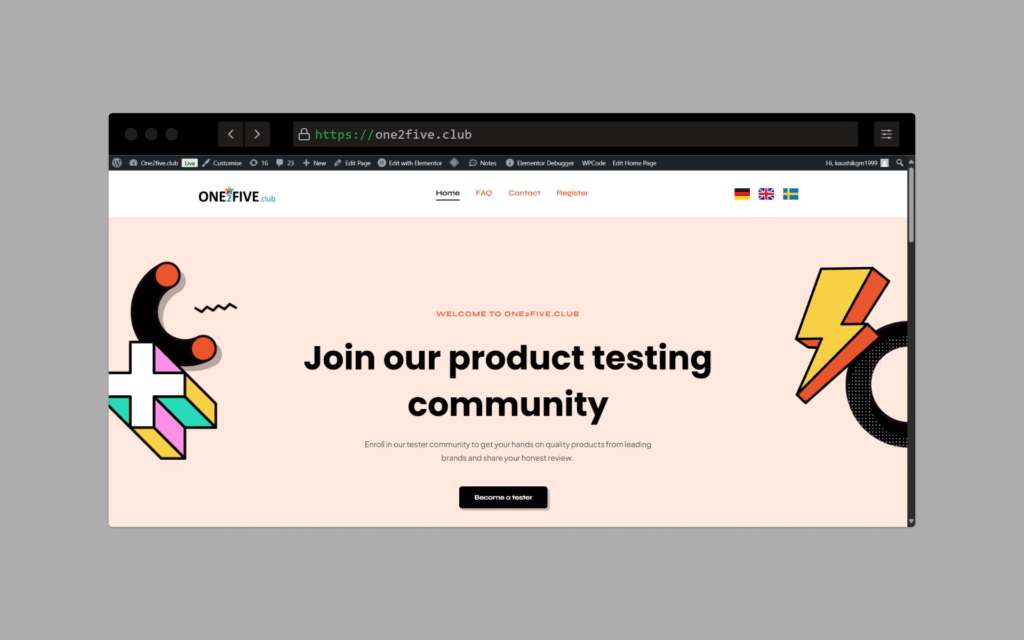
One2Five.Club wasn’t just another site — it was a backend-heavy automation project meant to make the client’s internal operations seamless. The core goal: “We want to onboard clients, manage review campaigns, and push everything into our CRM — automatically.” While the frontend was kept minimal, most of the work happened behind the scenes. I built powerful automation flows, form triggers, and API calls that connected the website to their custom CRM and review systems. 👨‍💻 My Role Automation & Integration SpecialistI led the full backend logic setup, working hand-in-hand with the client’s CRM team. What I Delivered: ✅ Custom WordPress site setup for client onboarding ✅ Backend forms triggering workflows based on user type (agency/client) ✅ Real-time API integration with their CRM ✅ Conditional logic for review campaign setups ✅ Multi-step automation: Form fill → Data formatting → CRM push → Notification ✅ GDPR-ready lead handling & data structuring 🔗 API & Automation Setup This was the heart of the project. I integrated: 🧩 Website forms to push data into CRM via API ⚙️ Zapier/n8n flows for extra steps like formatting, tagging, and lead routing 📩 Automated confirmation & onboarding emails to clients 🎯 Auto-create review links & feedback collection based on selected packages 🛠️ Logic to handle different flows for direct businesses vs agencies (white-labeled) Everything was built to save time for the internal team — no manual entry, no missed follow-ups. 💡 Key Features Modular WordPress site structure (easy to manage for team) Powerful backend flow automation Realtime push to CRM with error handling & fallback logs Multi-language compatible structure Admin area for managing onboarding entries and sync status 🖼️ Design & Visuals UI was minimal by choice — focused on functionality Forms styled cleanly to match brand Backend notifications and labels added for admin clarity Fast loading, mobile-optimized, clean data capture forms ⚙️ Tech Stack Used WordPress (frontend + admin) Custom PHP scripts for API push Zapier for automation logic CRM: Custom (integrated via REST API) Hosting: Optimized server with security layer Email: SMTP + webhook-based triggers 📈 Outcome & Impact Entire onboarding flow went from manual to fully automated Reduced samplers onboarding time by 70% CRM always stays updated with real-time client data Client team now focuses on delivery, not admin tasks Ready for scale

Scroll to Top