Friendly Marketer

Author name: kaushikgm1999

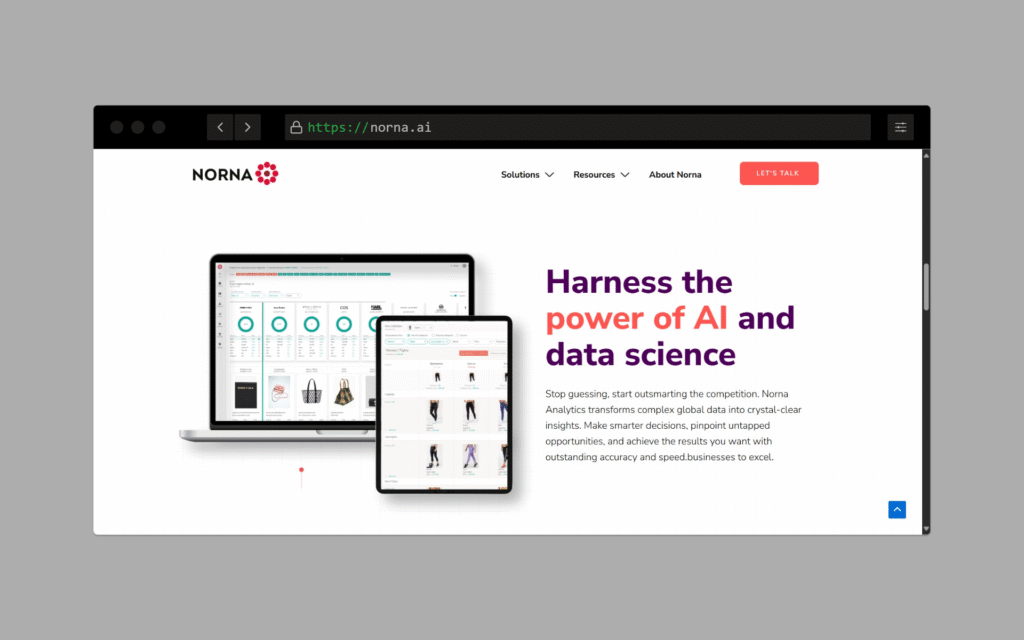
Norna.ai fashion retail AI website
Website portfolio

Norna.ai – Empowering Fashion Retail

Norna.ai is a Stockholm-based AI company specializing in transforming vast amounts of fashion retail data into actionable insights. By leveraging advanced machine learning techniques, Norna.ai enables retailers to make informed decisions on pricing, assortment, and trend forecasting, thereby enhancing competitiveness in the dynamic fashion market. šŸ‘Øā€šŸ’» Scope of Work The development of Norna.ai’s platform focused on creating a robust, scalable, and user-friendly system capable of processing and analyzing extensive retail data. Key Deliverables: āœ… AI-Powered Analytics Platform: Developed a system that collects and analyzes data from millions of products, providing real-time insights into market trends and competitor strategies. āœ… Custom Dashboard Interface: Designed intuitive dashboards for users to easily interpret data and make strategic decisions. āœ… Integration with Retail Systems: Ensured seamless integration with existing retail management systems for streamlined operations. āœ… Scalable Infrastructure: Implemented a scalable backend using Kubernetes-as-a-Service (KaaS) to handle growing data processing needs . āœ… Multilingual Support: Incorporated multilingual capabilities to cater to a diverse user base across different regions. šŸŒ Multilingual Capabilities To serve a global clientele, the platform was designed with multilingual support, allowing users to interact with the system in their preferred language. This feature enhances user experience and accessibility for international retailers. šŸŽØ Visual & UX Design Modern Aesthetics: Employed a clean and professional design that aligns with the tech-savvy nature of the platform. User-Centric Navigation: Developed intuitive navigation structures to facilitate ease of use. Responsive Layout: Ensured the platform is fully responsive, providing a seamless experience across various devices. šŸ“ˆ Results Enhanced Decision-Making: Retailers using Norna.ai have reported improved decision-making capabilities due to real-time insights.

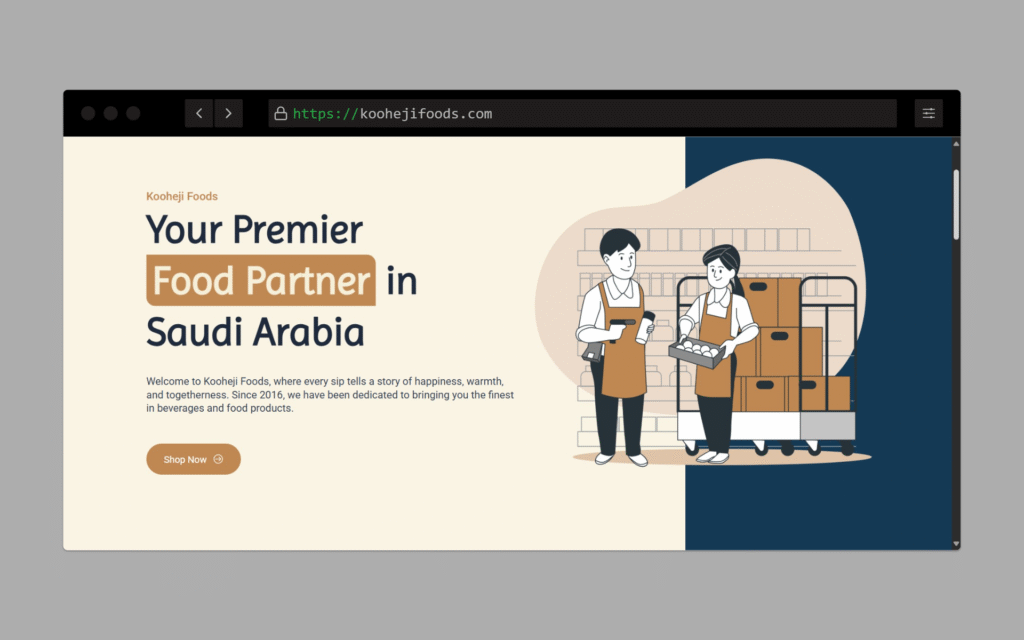
Kooheji Foods website
Website portfolio

Kooheji Foods – Delivering Culinary Excellence

Kooheji Foods is a premier food and beverage company based in Khobar, Saudi Arabia, dedicated to providing high-quality products and services to both retail and wholesale customers. The company required a robust, multilingual website to showcase its diverse offerings and facilitate seamless customer engagement. šŸ‘Øā€šŸ’» Scope of Work The project encompassed the design and development of a comprehensive website that reflects Kooheji Foods’ commitment to quality and customer satisfaction. Key Deliverables: āœ… Custom Website Design: Developed a clean, modern, and responsive website using WordPress to ensure optimal user experience across devices. āœ… Multilingual Support: Implemented multilingual functionality to cater to English and Arabic-speaking clients, enhancing accessibility and user engagement. āœ… Service Showcase: Created detailed service pages outlining the company’s offerings in beverages, food products, machinery solutions, and accessories. āœ… Contact and Inquiry Forms: Integrated user-friendly forms to facilitate seamless communication between potential clients and the company. āœ… SEO Optimization: Ensured on-page SEO best practices to improve search engine visibility and reach a broader audience. šŸŒ Multilingual Capabilities Understanding the importance of language accessibility, the website was structured to offer content in multiple languages: šŸ‡¬šŸ‡§ English šŸ‡øšŸ‡¦ Arabic This multilingual approach ensures that clients from different linguistic backgrounds can easily navigate and understand the services offered. šŸŽØ Visual & UX Design Modern Aesthetics: Employed a sleek and professional design that reflects the company’s commitment to quality. User-Centric Navigation: Designed intuitive navigation menus and clear call-to-action buttons to guide users effectively. Responsive Layout: Ensured the website is fully responsive, providing a seamless experience on desktops, tablets, and smartphones. šŸ“ˆ Results Enhanced Online Presence: The new website has significantly improved the company’s online visibility and credibility. Increased Engagement: Multilingual support has led to higher user engagement and a broader client base. Streamlined Communication: The integrated contact forms have facilitated more efficient client inquiries and project discussions.

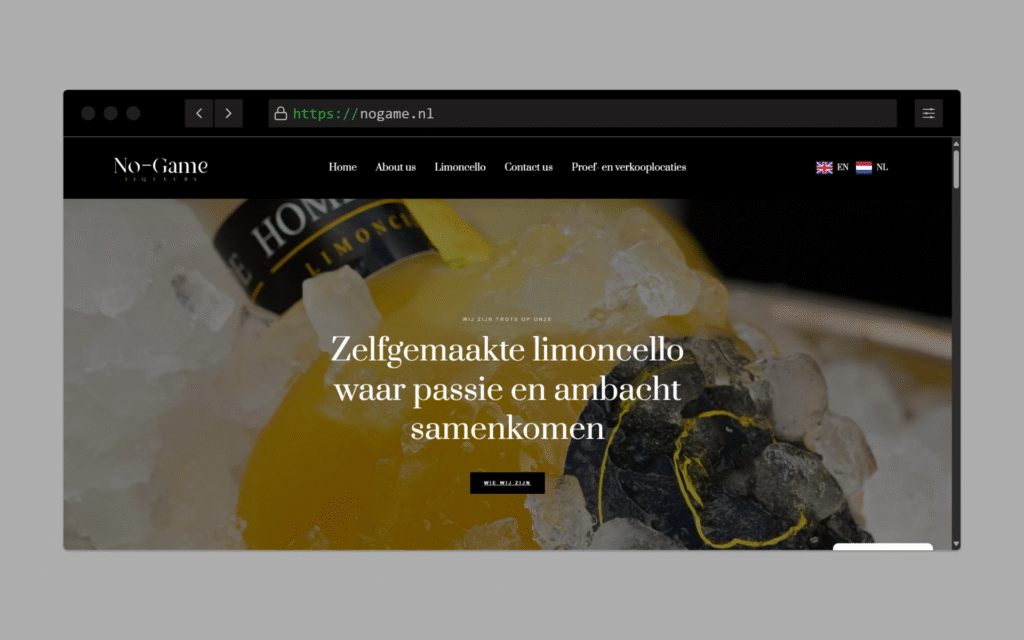
No-Game.nl multilingual limoncello website
Website portfolio

No-Game.nl – Crafting Multilingual Web Solutions for limoncello

  No-Game.nl is a Netherlands-based web development agency dedicated to delivering high-quality, multilingual websites tailored to diverse client needs. The agency emphasizes creating user-friendly, responsive, and accessible web solutions that resonate with international audiences. šŸ‘Øā€šŸ’» Scope of Work The project encompassed the design and development of a comprehensive website that showcases the agency’s services and expertise. Key Deliverables: āœ… Custom Website Design: Developed a clean, modern, and responsive website using WordPress to ensure optimal user experience across devices. āœ… Multilingual Support: Implemented multilingual functionality to cater to Dutch, English, and German-speaking clients, enhancing accessibility and user engagement. āœ… Service Showcase: Created detailed service pages outlining the agency’s offerings in web development, design, and digital solutions. āœ… Contact and Inquiry Forms: Integrated user-friendly forms to facilitate seamless communication between potential clients and the agency. āœ… SEO Optimization: Ensured on-page SEO best practices to improve search engine visibility and reach a broader audience. šŸŒ Multilingual Capabilities Understanding the importance of language accessibility, the website was structured to offer content in multiple languages: šŸ‡³šŸ‡± Dutch šŸ‡¬šŸ‡§ English This multilingual approach ensures that clients from different linguistic backgrounds can easily navigate and understand the services offered. šŸŽØ Visual & UX Design Modern Aesthetics: Employed a sleek and professional design that reflects the agency’s commitment to quality. User-Centric Navigation: Designed intuitive navigation menus and clear call-to-action buttons to guide users effectively. Responsive Layout: Ensured the website is fully responsive, providing a seamless experience on desktops, tablets, and smartphones. šŸ“ˆ Results Enhanced Online Presence: The new website has significantly improved the agency’s online visibility and credibility. Increased Engagement: Multilingual support has led to higher user engagement and a broader client base. Streamlined Communication: The integrated contact forms have facilitated more efficient client inquiries and project discussions.

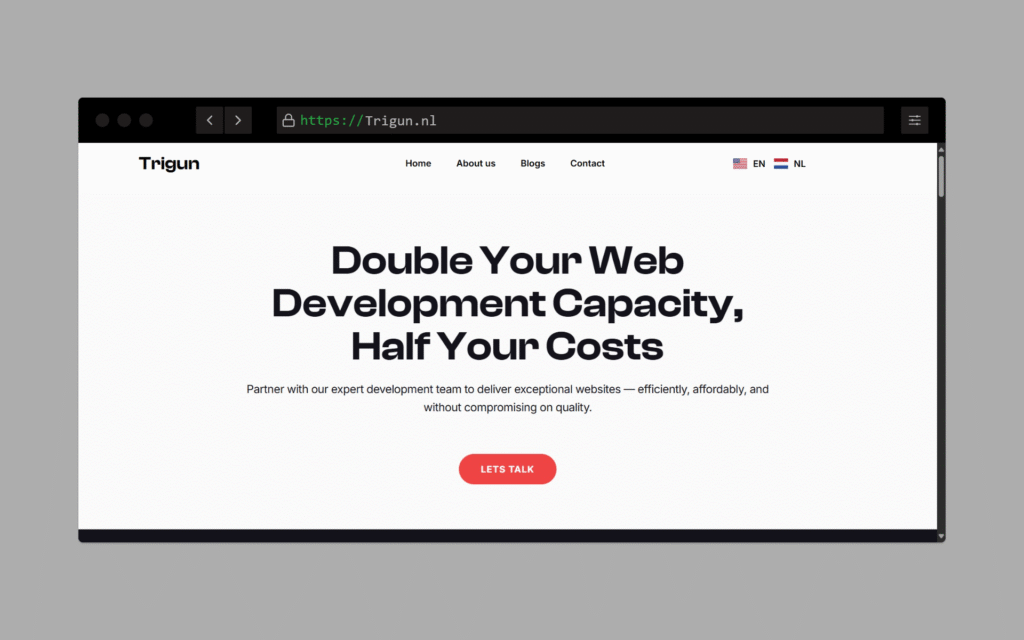
Trigun.nl web development company website
Website portfolio

Trigun.nl – Web Development Company Website with Full Multilingual Setup

Trigun.nl is a modern website development company based in the Netherlands, focused on delivering high-performance websites, automation setups, and multilingual digital solutions for businesses across Europe. The project required a clean, professional, and conversion-focused website that could effectively communicate services to clients in multiple countries and languages. šŸ‘Øā€šŸ’» Scope of Work This project involved full-stack web development and multilingual infrastructure setup. Key Deliverables: āœ… WordPress-based website with a custom design āœ… Multilingual setup using Polylang (English, Dutch, German) āœ… SEO-optimized pages tailored for each language āœ… WhatsApp integration, Calendly booking system, and contact forms āœ… Fast-loading, mobile-responsive architecture āœ… Clear service breakdown for website development, automation, and offshore hiring šŸŒ Multilingual Capabilities Trigun.nl was built to serve a diverse European client base. The entire site was structured to offer a native experience for users in: šŸ‡¬šŸ‡§ English šŸ‡³šŸ‡± Dutch šŸ‡©šŸ‡Ŗ German Language detection, translation toggles, and localized CTAs were implemented to increase user engagement and lead conversion. šŸŽØ Visual & UX Design Sleek, minimal design with subtle animations Easy-to-navigate layout focused on clarity and trust Neutral color palette with high readability Custom icons, responsive blocks, and fast page transitions šŸ’” Services Presented Website & E-commerce Development Speed & SEO Optimization Multilingual Website Builds Landing Pages for Ads AI Tool & Automation Setup Offshore Hiring & Team Support Technical Maintenance Plans šŸ“ˆ Results Positioned Trigun.nl as a go-to web partner for startups and SMBs in the Netherlands, Germany, and Sweden Website ranks for multilingual service keywords Lead intake forms and consultation bookings started coming in within the first month of launch

One2Five.Club CRM onboarding workflow
Blog

One2Five.Club – Automating Samplers Onboarding with CRM-Powered Workflows

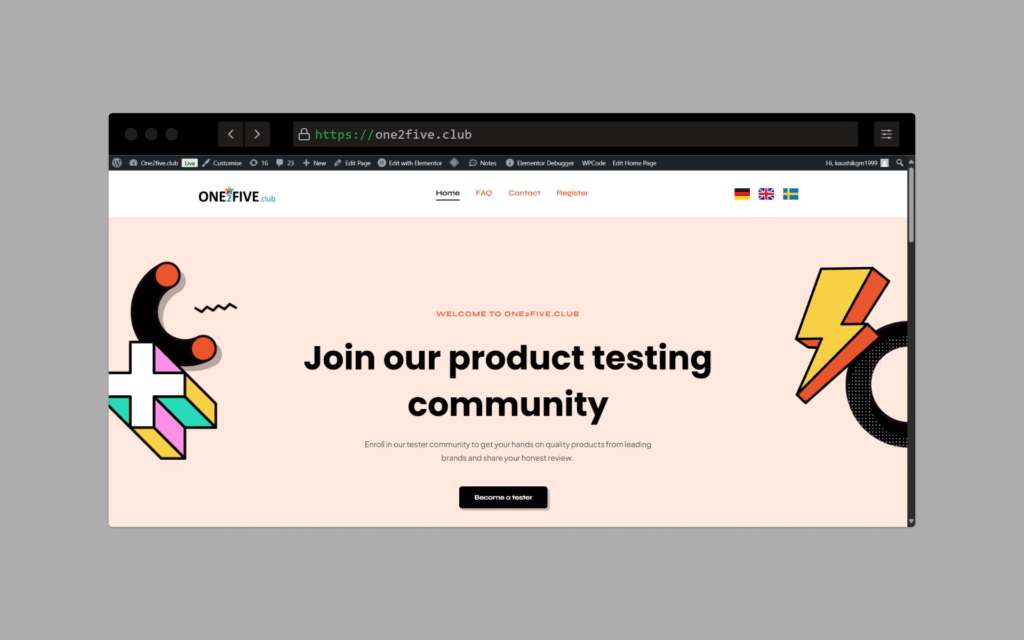
One2Five.Club wasn’t just another site — it was a backend-heavy automation project meant to make the client’s internal operations seamless. The core goal: ā€œWe want to onboard clients, manage review campaigns, and push everything into our CRM — automatically.ā€ While the frontend was kept minimal, most of the work happened behind the scenes. I built powerful automation flows, form triggers, and API calls that connected the website to their custom CRM and review systems. šŸ‘Øā€šŸ’» My Role Automation & Integration SpecialistI led the full backend logic setup, working hand-in-hand with the client’s CRM team. What I Delivered: āœ… Custom WordPress site setup for client onboarding āœ… Backend forms triggering workflows based on user type (agency/client) āœ… Real-time API integration with their CRM āœ… Conditional logic for review campaign setups āœ… Multi-step automation: Form fill → Data formatting → CRM push → Notification āœ… GDPR-ready lead handling & data structuring šŸ”— API & Automation Setup This was the heart of the project. I integrated: 🧩 Website forms to push data into CRM via API āš™ļø Zapier/n8n flows for extra steps like formatting, tagging, and lead routing šŸ“© Automated confirmation & onboarding emails to clients šŸŽÆ Auto-create review links & feedback collection based on selected packages šŸ› ļø Logic to handle different flows for direct businesses vs agencies (white-labeled) Everything was built to save time for the internal team — no manual entry, no missed follow-ups. šŸ’” Key Features Modular WordPress site structure (easy to manage for team) Powerful backend flow automation Realtime push to CRM with error handling & fallback logs Multi-language compatible structure Admin area for managing onboarding entries and sync status šŸ–¼ļø Design & Visuals UI was minimal by choice — focused on functionality Forms styled cleanly to match brand Backend notifications and labels added for admin clarity Fast loading, mobile-optimized, clean data capture forms āš™ļø Tech Stack Used WordPress (frontend + admin) Custom PHP scripts for API push Zapier for automation logic CRM: Custom (integrated via REST API) Hosting: Optimized server with security layer Email: SMTP + webhook-based triggers šŸ“ˆ Outcome & Impact Entire onboarding flow went from manual to fully automated Reduced samplers onboarding time by 70% CRM always stays updated with real-time client data Client team now focuses on delivery, not admin tasks Ready for scale

One2Five-Reviews.com multilingual SaaS website
Website portfolio

One2Five-Reviews.com – A multilingual SaaS to manage reviews and grow through affiliates — built for scale from day one.

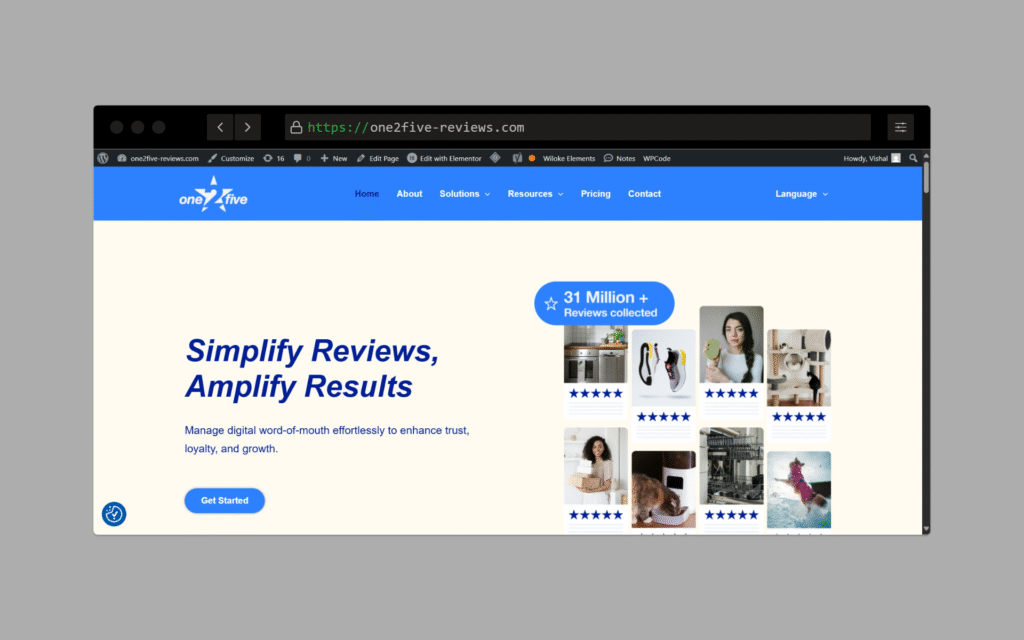
🧠 How It Started This was more than just a website build.The founder came to me with a full Figma design and a clear vision: ā€œWe want to launch a review management platform that feels like a real SaaS, not just another tool — and we also want people to promote it through affiliates.ā€ From there, I took over everything on the technical side: setting up the platform, integrating core features, and making sure it’s multilingual, fast, and scalable. šŸ‘Øā€šŸ’» My Role Execution Partner: From Figma to full launch, I owned the website setup, integrations, and backend features. What I Delivered: āœ… Converted Figma UI into a fast, responsive WordPress website āœ… Set up multilingual support (English, German, Swedish) using Polylang āœ… Implemented a built-in affiliate system for growth āœ… Created lead capture forms connected to the review system āœ… Added analytics: GA4, Meta Pixel, Google Tag Manager āœ… Optimized for SEO and page speed (90+ score on mobile/desktop) 🧩 Affiliate System The platform needed a way for others to promote it and get rewarded. I built this from scratch inside WordPress: šŸŽÆ Unique referral URLs for each user 🧾 Backend tracks leads & source attribution šŸ’ø Manual payout tracking (scalable to auto in future) šŸ”— Integrated directly into the sign-up flow This allowed the founder to launch with a growth engine already in place. šŸŒ Multilingual Ready One of the key priorities was to support multiple languages from day one.I implemented Polylang and ensured every page, form, and CTA was translated and working smoothly in: šŸ‡¬šŸ‡§ English šŸ‡©šŸ‡Ŗ German šŸ‡øšŸ‡Ŗ Swedish The site detects user preference and offers language toggles for better user experience in global markets. šŸŽØ UI & Visuals UI was fully provided in Figma by the founder I handled the entire pixel-perfect implementation with optimized performance Followed consistent brand design: #FFF2EF, #404757, fb663c Used fast-loading images, icons, and mobile-responsive layouts Ensured no element broke across devices or languages šŸ“ˆ Results So Far Live and functional multilingual SaaS product Affiliates already promoting it organically Onboarding process smooth and intuitive Site now ranks for review-related terms in English and German

VCareTitle.com title services website
Website portfolio

VCareTitle.com – From Just an Idea to a Fully Functional Online Business

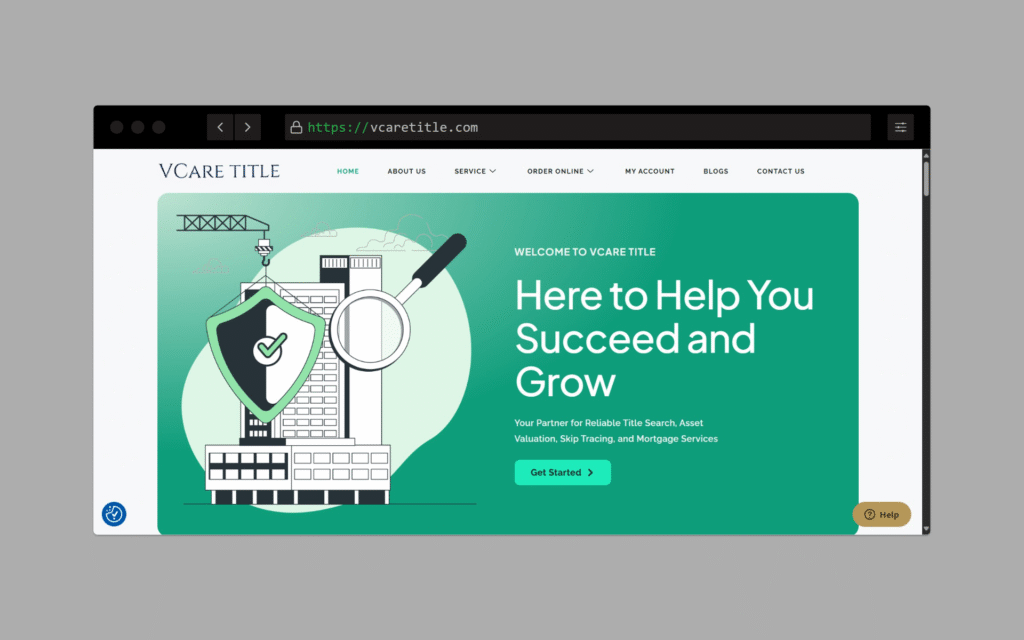
šŸš€ How It Started This wasn’t just a ā€œmake me a websiteā€ project.The client came to me with just an idea: ā€œCan we let people order Title Search or Closing Services online by selecting their county?ā€ But there was no reference site. Just a vision. I sat with the founders and explained that handling services by county would be hard to scale, both on the backend and UX side.Instead, I suggested we simplify the flow by using state-based services and pricing — clean, understandable, and easier to manage. 🧠 My Role End-to-End Execution: Strategy, UX, Design Guidance, Development, Content Structuring, and Optimization. What I Built: āœ… WordPress website (customized, SEO-friendly, responsive) āœ… State-wise service section with clear pricing blocks āœ… Interactive ā€œRequest a Quoteā€ & ā€œContact Usā€ forms āœ… Clean header navigation with sticky CTA buttons (Email, WhatsApp, Phone) āœ… FAQ and ā€œHow It Worksā€ section to build trust šŸ–¼ļø How I Handled Visuals & Images This was key to making the site feel professional and credible. šŸ–¼ļø Used high-quality, royalty-free images showing homes, contracts, and professionals to reflect the title industry šŸŽÆ Focused on emotions and trust – warm tones, handshake imagery, home ownership moments 🧩 Balanced text-heavy legal topics with visuals to reduce overwhelm šŸ“± Ensured all images were compressed & optimized for fast mobile performance šŸ” Avoided stocky visuals — instead used real-world context imagery to make it feel relatable āš™ļø Key Features WordPress CMS (easy for client to manage) Optimized for lead generation (quote forms + WhatsApp chat) Google PageSpeed: 90+ on mobile & desktop On-page SEO: meta titles, schema, headers optimized šŸ“ˆ Early Results Leads started coming in within the first few weeks SEO pages for states like Texas, Florida, and California began ranking The client appreciated how their offline workflow was now automated & scalable

Sikeee.com streetwear online store
Website portfolio

A Bold Streetwear Store Made for Speed, Scale & Creator Sales

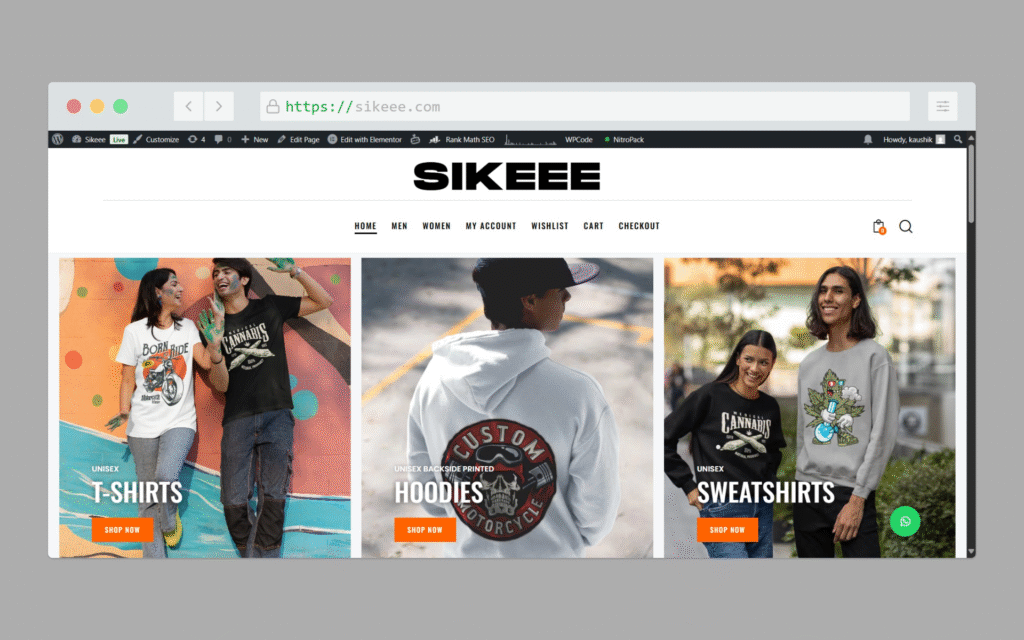
šŸ‘• About the Brand: Sikeee.com is a fresh streetwear label focused on expressive typography designs and inclusive sizing (S to 7XL). The goal? Build a clean, modern shopping experience that feels premium yet edgy — just like the brand itself. šŸ›  What Friendly Marketer Delivered: 1. WooCommerce-Powered Custom Store Developed from scratch on WordPress + WooCommerce Integrated with custom typography-focused product templates Optimized product pages with variation-specific pricing (₹150 extra for 2XL–7XL) Created a responsive layout that works seamlessly across mobile, tablet, and desktop 2. Affiliate Integration for Creator Growth Built a native affiliate program using URL parameter logic (?ref=ID) Each influencer gets a unique tracking link — no complex dashboard required Easy plug-and-play setup for creators to promote and earn ₹100/sale 3. Performance & SEO Optimization Image compression + lazy loading for fast load times Schema markup for SEO-rich product listings Lightweight, no-bloat theme stack ensuring Core Web Vitals pass šŸ“ˆ Results (First 30 Days): 100+ affiliate clicks from organic Instagram stories 70% of sales came from creator-driven traffic Site speed improved from 6s → under 2.5s (GTmetrix A grade) Want a fast, conversion-friendly eCommerce store with built-in growth engines?Let Friendly Marketer build yours next.

Google Ads from break-even to 8X ROAS
Google ads

How I Turned My Google Ads From Barely Breaking Even… To Making 8X Back On Every dollar I Spent

Let’s not sugarcoat it. Running Google Ads when you don’t have a clear strategy feels like gambling. You set a budget, hope for the best, and watch your money vanish faster than it came. That was me once. I used to think, ā€œIf I make at least what I spent, that’s a win, right?ā€ Wrong. Spending $100 and getting back $100 is not a win. You’re breaking even at best, and losing money after you count in product costs, taxes, or time spent managing ads. I needed to find a smarter way. And after years of running ads for all types of businesses — fashion, SaaS, real estate, fitness, you name it — I cracked the system. Now, I regularly hit 5x, 6x, even 8x ROAS. That means every $100 I spend gives me $800 in return. And no, I’m not a wizard. I just follow a repeatable system. Here it is — explained in the simplest way possible. 1. Run Search Term Audits (AKA: Cut the Noise) Think of your ad budget like a garden hose. If there are tiny holes (wasted clicks), your water (money) leaks out. You want every drop to count. That’s why I regularly check search terms — the exact words people typed into Google before clicking my ad. If I find terms that: Have a click-through rate (CTR) lower than 8% Or got zero conversions …I remove them or mark them as negative keywords. Example:If I’m selling running shoes and my ad is showing for ā€œfree running appā€ or ā€œrunning memesā€ — that’s wasted spend. Those people aren’t buyers. Just doing this one thing every week saves me hundreds of dollars over time. 2. Calculate Your CPA Cap (Know What You Can Afford to Pay) Imagine selling a product for $200. After manufacturing, packaging, shipping, taxes, and customer support — your profit is only $70. Now ask yourself: can you afford to pay $80 for a sale?Nope. You’ll be in the red. So before running any ads, I calculate my True CPA Cap — which means:ā€œWhat’s the maximum I can spend to acquire one paying customer… and still make money?ā€ Knowing this number changes everything. It becomes my north star for budgeting, bidding, and scaling decisions. 3. Segment Campaigns by Intent (Don’t Treat Everyone the Same) Different people search Google with different levels of seriousness. Someone searching ā€œNike Air Max size 9 near meā€ is likely ready to buy But someone searching ā€œAre Nike shoes comfortableā€ is still researching So I separate campaigns based on this: Exact match keywords = Highest intent (show ads only if the search matches my keyword exactly) Phrase match = Medium intent (looser but still relevant) Broad match = Only when I’ve got solid data Remarketing = For people who visited but didn’t buy This allows me to craft custom messages for each group. It’s like talking differently to a stranger, a friend, and a repeat customer. 4. Start With Value-Based Bidding (And Don’t Be Greedy at First) If you break even at 2x ROAS (spend $100, make $200), don’t expect Google to give you 10x right away. I usually start by setting my Target ROAS at 4, which is 2x my breakeven. It gives Google room to find the right buyers while still keeping things profitable. Only after I’ve hit at least 50 conversions do I start tightening the ROAS target to scale up further. 5. Write Ads Like You’re Talking to a Friend, Not a Robot Your ad isn’t a billboard. It’s a short conversation. Here’s the structure I follow: Problem – What pain is the customer facing? Agitate – Why is it a big deal? Solution – How can you help? Proof – Why should they trust you? Call to action – What should they do next? Example:ā€œTired of spending on ads that don’t convert? You’re not alone. We’ve helped 100+ businesses get real results. Let’s get your ROI back on track.ā€ Simple. Personal. Clear. 6. Your Landing Page Should Be Like a Helpful Salesperson The ad gets their attention. The landing page seals the deal. When someone clicks, I ask myself: Does the page load fast? (especially on mobile) Is the headline clear? Is there one obvious next step? (buy now, book a call, etc.) Is there trust? (testimonials, reviews, badges) If any of those are missing, people bounce — and my ad budget burns for nothing. 7. Layer Your Audiences for Precision Targeting Basic targeting is like saying ā€œshow this to all men aged 30-45.ā€ But advanced targeting is like saying:ā€œShow this ad to men aged 30-45, who like fitness, AND have visited my site in the last 30 days.ā€ By layering interest, demographics, and behavior — I show ads only to people who actually care. Result? Fewer wasted impressions, more qualified clicks. 8. Adjust Based on Device (Don’t Treat Desktop and Mobile the Same) If I notice that conversions from mobile users are 30% higher, I increase mobile bids by 15–25%. You don’t have to treat every device the same. Let the data guide you. Sometimes, desktop users just browse. Mobile users buy while lying in bed. 9. Use the 2×2 Automation Matrix (It’s My Secret Weapon) Here’s a trick I use to make quick decisions: If ROAS < 2 AND CTR < 1.5% → Pause the ad If ROAS > 4 AND conversion rate > 3% → Increase budget This helps me react fast without overthinking every data point. 10. Monitor Impression Share (Know How Often You’re Showing Up) Impression share tells you how often your ad shows when someone searches your keyword. Below 60%? You’re missing out — raise your bid or budget Above 80%? You’ve saturated — start testing new, broader keywords This keeps your reach growing in a healthy way. 11. Do a 5-3-1 Weekly Clean-Up Every Friday, I do this: Cut 5 worst-performing keywords Pause 3 low-performing ads Remove 1 bad placement (from Display or YouTube) I call it the 5-3-1 Method — it keeps your ad

Google Ads mastery guide
Google ads

Google Ads Mastery: How I Went From Confused to Confident (And How You Can Too)

When I first opened Google Ads, honestly, I was overwhelmed. Buttons, settings, options everywhere. I had no idea how to even begin, let alone master it. But, over time, after plenty of mistakes (and some big wins!), I learned a clear process that turns Google Ads from something complicated into something surprisingly simple. Today, I’m sharing exactly what I’ve learned—step by step, in plain language, so anyone can understand it, no matter your age or experience. Step 1: Organize Your Account Clearly Think of your Google Ads account like organizing your wardrobe. You wouldn’t throw your socks, shirts, and jackets into one big pile, right? Similarly, create campaigns based on clear themes—like specific products or services you offer. Each campaign then has smaller sections (called “ad groups”) that focus on individual topics or products. Simple organization now saves confusion later. Step 2: Find the Right Keywords Keywords are simply what people type into Google when searching. Use a tool like SEMrush or Google’s own Keyword Planner to find out exactly what your potential customers are looking for. Focus on “high-intent” keywords (words people use when they’re ready to buy). Remember to add negative keywords too—these are keywords you don’t want your ads showing up for. Step 3: Set Your Budget Smartly This part isn’t about spending lots of money, but spending money wisely. Decide how much you can afford to spend to acquire one customer. This is called your cost per acquisition (CPA). Once you know this number, set your daily budget accordingly. Step 4: Clearly Define Your Audience Who exactly are your ads targeting? Google Ads lets you specify age, gender, interests, and even things they’re planning to buy soon (like a car or holiday). The clearer you define your audience, the more effective your ads will be. Step 5: Know Exactly What You Want to Achieve Before launching an ad, ask yourself, “What exactly do I want this ad to achieve?” Maybe you want website visits, phone calls, or online purchases. Clearly setting this goal helps Google understand who to show your ad to. Step 6: Choose Your Ad Format Wisely Google offers different types of ads—text, images, videos, and shopping ads. Start simple with text ads to understand the basics. As you get comfortable, expand into other formats like video or image ads. Step 7: Write Ads People Can’t Ignore I use a simple but powerful writing approach called “Problem-Agitation-Solution” (PAS). First, clearly state the customer’s problem, highlight the pain it causes, and finally present your product as the perfect solution. Keep your copy simple, clear, and relatable. Step 8: Build Great Landing Pages Imagine inviting someone to your shop but having nothing interesting inside. Your landing page is where people arrive after clicking your ad. Make sure it’s clear, matches what your ad promises, loads quickly, and guides visitors easily to take action (like filling out a form or buying something). Step 9: Track What Matters (Conversions) Conversion tracking is how you see exactly what’s working. Set this up to track phone calls, form submissions, sales, or any action valuable to your business. Without tracking, you’re flying blind. Step 10: Use Remarketing to Stay on Top of Mind Ever noticed an ad following you around after visiting a website? That’s remarketing. It gently reminds people who’ve visited but didn’t buy yet, giving them another chance to come back and finish the deal. Step 11: Make Ads Richer with Extensions Ad extensions make your ads stand out more. They can show additional links, phone numbers, reviews, special promotions, or even images. It makes your ad more attractive and useful to customers. Step 12: Automate Bidding to Save Time Google Ads has smart bidding options. You tell Google your goal (like a specific cost per customer), and Google handles the bids automatically, saving you lots of time and often improving results. Step 13: Keep Testing for Better Results Try different versions of ads to see which one works best. This could mean changing headlines, images, or even just small words. Keep testing to gradually improve your ads. Step 14: Monitor Your Campaign Regularly Don’t just start ads and forget them. Check regularly to see how they’re doing. Pause ads not performing well, boost those that do, and tweak the ones that are okay but could improve. Step 15: Use Google Ads Scripts When Ready Scripts automate boring tasks. They can pause low-performing ads, adjust bids automatically, and even generate detailed reports. This saves time and makes your campaigns run smoothly. Step 16: Never Stop Learning Google Ads always evolves. Spend some time regularly learning new features, tips, and strategies. This way, you stay ahead and keep your ads performing their best. By following these clear, simple steps, anyone—from high-school students starting their first campaign to retired business owners looking to grow online—can master Google Ads. Remember, everyone starts from zero. The difference between struggling and success is having a clear, easy-to-follow guide. I hope this detailed, personal breakdown helps you become a Google Ads hero too. Still unsure where to start or feeling overwhelmed? No worries — I’ve done this over 1,000 times for businesses big and small. If you’d rather skip the headache and get expert help, just reach out to Friendly Marketer. I’ll take care of everything, so you can focus on running your business.  

Scroll to Top